
Miscellaneous#
Each of these scripts performs a single task independently, they are not part of any specific workflow.
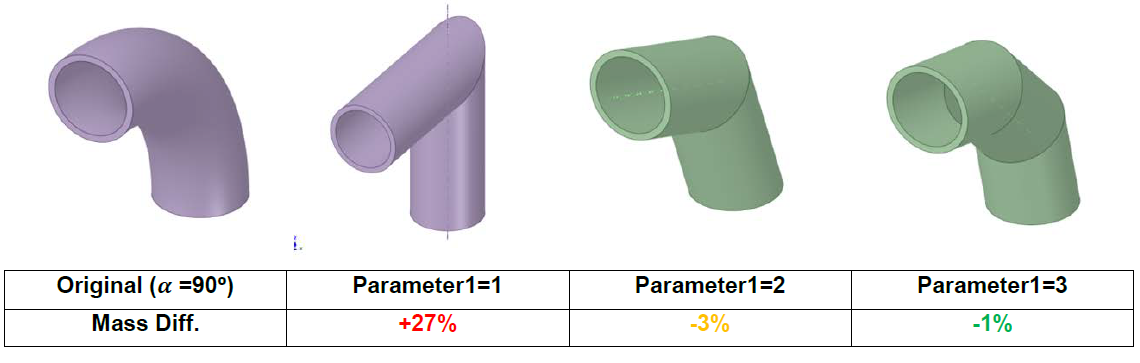
Elbow to cylinder#
Work in progress.
Detect torus#
This script is run in SpaceClaim and doesn’t require any input from the user. It highlights all the bodies (in opaque yellow) that contain a toroidal surface (in opaque red). All the other bodies are made blue transparent. If no toroidal surface is found, a message window will pop up and no color modifications will be made.
FMESH tally generator#
This script is run in SpaceClaim, drag and drop the file and run it by clicking on the green arrow button after selecting a body and run the script to get its related MCNP FMESH and TR cards. The body should be a prism: 6 reactangular and orthogonal faces.
Load CSV points#
This script is run in SpaceClaim.It loads a CSV file with the coordinates of points as spheres. It assumes that the first three columns of the .csv are X, Y, Z coordinates. The user should modify the input parameters directly on the script file.
Tip
The F4Enix package includes a function to automatically generate a compatible CSV file from an MCNP output file: link.
Simplify toroidal profiles#
This script is run in SpaceClaim. Enter into section mode and select the whole section of a body with toroidal profiles. The curves will be substituted by straight lines with a given angle between them. Then the new profile can be extruded to create a new body composed only of conical and cylindrical surfaces.